The internet is packed with tools that promise to make your life easier, but most of them eventually ask you to upgrade, subscribe, or enter your credit card details. The frustration of hitting a paywall mid-task is something nearly every professional, student, or entrepreneur has experienced at least once. That frustration is what makes genuinely free tools so valuable in 2026.
This year, the landscape of free web utilities has changed significantly. Artificial intelligence has become embedded in everyday tools. Document converters have gotten smarter. SEO platforms have become more accessible. And project management apps now cater to solo users and small teams with zero budget constraints. The options available today are not just functional alternatives to premium software — many of them are legitimate competitors to tools that cost hundreds of dollars per year.
Whether you are a freelancer managing multiple clients, a small business owner trying to stretch a limited budget, a content creator building a brand on social media, or a developer working on a personal project, there are free online tools designed specifically for what you need. The challenge is knowing which ones are actually worth your time.
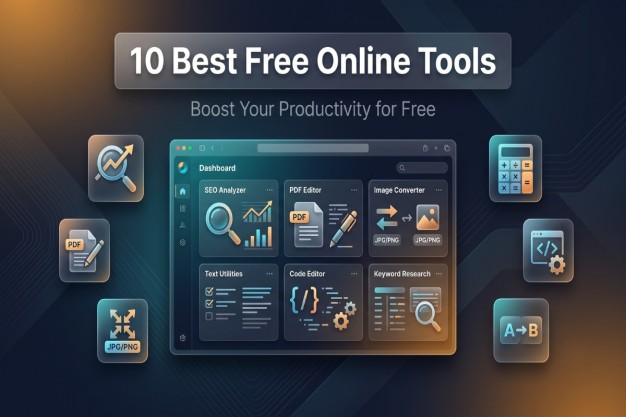
This article covers the 10 best free online tools in 2026 — hand-selected for their usefulness, reliability, feature depth, and genuine no-cost accessibility. Each tool has been evaluated on what it actually delivers without a subscription. No vague summaries. No surface-level overviews. Just a thorough, honest breakdown of each platform so you can make an informed decision and get to work.
Why Free Online Tools Matter More Than Ever in 2026
Not long ago, the phrase "free software" carried a certain skepticism. People assumed free tools would be unreliable, riddled with ads, or so limited in features that they barely served their purpose. That assumption has been largely dismantled. In 2026, some of the most powerful tools available on the web come at absolutely no cost to the user.
Several forces are driving this shift. The rise of open-source development has created thriving communities of contributors who build and maintain high-quality tools without requiring commercial revenue. Advertising-supported models, freemium structures, and developer portfolios have all contributed to an ecosystem where free tools are no longer second-rate options but genuine solutions for real-world problems.
For small businesses especially, free digital tools represent a significant operational advantage. A startup does not need to spend thousands of dollars on software licenses when free web tools can handle SEO auditing, image editing, document conversion, and team collaboration without a monthly fee. For digital marketers, access to free SEO tools and content creation platforms means campaigns can be built, analyzed, and optimized without enterprise-level budgets.
The environmental context of 2026 also plays a role. Remote work is standard, distributed teams are common, and the demand for tools that work directly in a browser without installation has never been higher. Free internet tools that require no download, no setup, and sometimes not even an account have become essential infrastructure for modern work.
Understanding which tools are truly worth using is the goal of this guide.
How These Tools Were Selected
Before walking through each tool individually, it helps to understand the criteria used to evaluate them. Not every tool that calls itself free actually behaves like one. Some offer a free tier that is so restricted it is nearly useless. Others require registration just to access basic functions. Several impose watermarks on outputs, which is a dealbreaker for professional use.
The tools selected for this list were evaluated based on the following criteria:
- Genuinely free core functionality, either entirely or with a generous free tier
- No mandatory account creation for primary use cases where possible
- Clean, professional output quality suitable for actual work
- Browser-based operation without requiring software installation
- Reliability and uptime history
- Breadth of features relative to what paid alternatives offer
- Positive reception from professional communities and user reviews
With those standards established, here are the 10 best free online tools in 2026.
1. EasyPro Tools — The Most Complete Free Online Toolkit Available
When it comes to sheer breadth of utility under a single platform, EasyPro Tools stands in a category of its own. This platform is designed to serve developers, SEO professionals, digital marketers, content creators, and everyday users — all without asking for a subscription or even a registered account for most of its functions. It is one of the most ambitious and well-executed free tool collections currently available on the web.
What makes EasyPro Tools genuinely impressive is not just the number of tools it offers, but the organization and usability of those tools. Everything is categorized cleanly, meaning you do not have to scroll through hundreds of irrelevant options to find what you need. The interface is fast, the tools load quickly, and the outputs are professional-grade. For anyone looking for free tools to replace paid software — particularly expensive productivity suites — this platform delivers in a way that very few others do.
What EasyPro Tools Offers
The platform currently provides thousands of tools organized across seven major categories, with new tools being added regularly as user needs evolve. Here is a breakdown of what each category includes:
Calculator Tools: The calculator tools goes far beyond basic arithmetic. It covers financial calculators, percentage tools, unit conversion calculators, health and fitness metrics, mathematics tools, and specialized calculators for developers and business users. Whether you need to calculate loan interest, figure out body mass index, or work out color code conversions, this section has it covered.
Converter Tools: These handle everything from unit conversions to file format conversions. Need to convert a video file, change a measurement unit, or transform one text encoding into another? The converter tools section offers a wide range of options that would typically require paid desktop software.
Text Tools: Writers, editors, marketers, and developers all benefit from this section. Tools include word counters, case converters, text formatters, plagiarism-style uniqueness checkers, and various text manipulation utilities that save significant time in content production workflows.
Image Tools: Image compression, format conversion, resizing, cropping, and optimization are all handled here. For web developers and content creators who regularly need to prepare images for publishing, this section alone can replace several paid subscriptions.
PDF Tools: This is where EasyPro Tools really proves its value for business users. PDF merging, splitting, compressing, converting to and from Word or Excel formats — all of this is available without paying a cent. These are tools that companies like Adobe charge premium subscription fees for.
SEO Tools: For digital marketers and website owners, this category is a goldmine. Keyword research assistance, meta tag generators, backlink checkers, sitemap generators, robots.txt tools, and various on-page SEO utilities are available without restriction.
Development Tools: Developers working with code will find formatters, minifiers, validators, encoders, decoders, color pickers, and various web development utilities that streamline the coding process significantly.
Why EasyPro Tools Leads This List
The reason EasyPro Tools earns the top spot is simple: it offers more tools, across more categories, with more depth, than any other free platform reviewed for this article. A digital marketer could use it for keyword research in the morning, compress images for a blog post at midday, convert a client document in the afternoon, and run a development utility in the evening — all from the same platform, all for free.
For small business owners especially, EasyPro Tools functions as an all-in-one digital utility suite that removes the need to pay for multiple specialized subscriptions. It genuinely replaces paid software in a way that is meaningful and practical.
2. Google Analytics — Free Web Analytics at Enterprise Scale
For website owners, business operators, and digital marketers, understanding how visitors interact with a website is foundational to growth. Google Analytics remains the most powerful free analytics tool available in 2026. The current version — Google Analytics 4 — offers machine learning-powered insights, cross-platform tracking, event-based data modeling, and audience segmentation that rivals what enterprise analytics platforms charge thousands of dollars to provide.
The platform tracks user behavior in real time, shows traffic sources, measures conversion rates, identifies high-performing content, and even predicts future user behavior using AI models. For small business owners trying to understand their audience without paying for expensive third-party analytics tools, this is an invaluable resource.
Setting up Google Analytics requires a Google account and a small snippet of code added to a website, but once configured, it runs entirely in the background and feeds a comprehensive dashboard that can be customized to track exactly the metrics that matter most to a specific business or campaign.
One particularly useful feature for SEO professionals is the integration with Google Search Console, which allows marketers to see which search queries are driving traffic, which pages are ranking, and where ranking improvements are most likely to generate meaningful traffic increases. That combination of data, available entirely free, makes this a tool that no website owner should operate without.
3. Canva Free — Professional Design Without Design Skills
Visual content is one of the most significant drivers of engagement across every digital channel in 2026. Social media posts, marketing materials, presentation slides, infographics, and video thumbnails all require consistent, professional design — and Canva's free plan delivers a platform where anyone can produce high-quality visuals without formal design training.
Canva provides thousands of professionally designed templates for social media posts, presentations, posters, flyers, resumes, and more. The drag-and-drop editor is intuitive enough for beginners while offering enough flexibility for experienced designers to produce original work efficiently. The free tier includes access to hundreds of thousands of free images, icons, and design elements that can be used in commercial projects.
For content creators managing social media accounts, Canva is one of the most practical free content creation tools available. Being able to maintain a consistent visual brand across Instagram, LinkedIn, Twitter, and YouTube without paying a designer or purchasing Adobe Creative Cloud is a genuine competitive advantage for solo creators and small teams.
The free plan does have limitations — some premium templates, elements, and features require a Canva Pro subscription. However, the volume and quality of free assets available means most users can accomplish their design goals without upgrading.
4. Ubersuggest Free — Keyword Research and SEO Insights
Ubersuggest, created by digital marketing expert Neil Patel, offers a free tier that provides meaningful SEO data for marketers and website owners who cannot justify the cost of premium tools like Ahrefs or SEMrush. As one of the best free SEO tools for keyword research in 2026, it gives users access to keyword volume data, keyword difficulty scores, content ideas, domain authority metrics, and basic backlink information.
The free plan allows a limited number of searches per day, which is sufficient for bloggers, small business owners, and early-stage digital marketers who are still building their SEO strategy. The keyword ideas feature is particularly useful — enter a seed keyword and Ubersuggest generates dozens of related terms, long-tail variations, and content topic suggestions that can form the backbone of a content calendar.
For someone transitioning from paid tools or looking to learn SEO fundamentals through hands-on practice, Ubersuggest provides enough data to develop meaningful keyword strategies. Combine it with the free SEO tools available through EasyPro Tools, and you have a remarkably capable research stack that costs nothing.
5. Notion Free — All-in-One Workspace for Notes, Projects, and Collaboration
Project management and knowledge organization have traditionally required choosing between multiple paid platforms. Notion disrupted that model by offering a genuinely capable free tier that covers note-taking, database management, task tracking, team wikis, and lightweight project management in a single interface.
For remote teams, freelancers, and small business owners, Notion's free plan allows unlimited pages and blocks for individual users, making it one of the best free project management web tools available in 2026. Teams can use it to build shared knowledge bases, track project timelines, manage editorial calendars, and maintain organized documentation — all in a single shared workspace.
The learning curve for Notion is slightly steeper than simpler task managers like Trello, but the depth it offers in return makes that investment worthwhile. Templates created by the Notion community mean users can get started quickly without building systems from scratch. For free online utilities for remote teams, Notion remains one of the most versatile and well-designed options on the market.
6. Grammarly Free — Writing Assistance and Grammar Correction
Clear, professional writing matters whether you are sending a business email, publishing a blog post, or preparing a client proposal. Grammarly's free plan offers real-time grammar correction, punctuation suggestions, clarity improvements, and tone detection that help users write better without requiring deep knowledge of grammar rules.
The browser extension version of Grammarly integrates with Gmail, Google Docs, LinkedIn, Twitter, and virtually every other text input field on the web, making it one of the most frictionless writing tools available. The free plan catches the vast majority of writing errors and provides enough clarity suggestions to meaningfully improve the quality of professional communication.
For non-native English speakers in particular, Grammarly free is an essential tool. It functions as a real-time editor that identifies not just spelling mistakes but awkward phrasing, passive voice overuse, and sentence structure problems. The premium tier adds features like advanced style suggestions and full plagiarism checking, but the free plan delivers substantial value on its own.
7. Smallpdf — Versatile PDF Editing and Conversion Online
PDF files are a standard format in professional environments, and the inability to edit, convert, or compress them without expensive software has long frustrated users. Smallpdf addresses this problem with a clean, browser-based suite of no-cost PDF editing tools that handle the most common PDF tasks efficiently.
The free plan allows a limited number of file conversions per hour, which is sufficient for occasional use. Users can convert PDFs to Word, Excel, PowerPoint, and JPG formats. They can also merge multiple PDF files, split large documents into smaller sections, compress oversized PDFs for email, and add electronic signatures — all without installing any software or, for basic tasks, creating an account.
For small businesses that regularly work with client contracts, invoices, or reports in PDF format, Smallpdf represents a practical alternative to Adobe Acrobat Pro, which costs significantly more. The interface is clean and the conversion quality is reliable, maintaining formatting integrity better than many free alternatives.
8. Hemingway Editor — Readability and Clarity for Written Content
Good writing is not just grammatically correct — it is also readable. The Hemingway Editor is a free online tool focused specifically on improving the clarity and readability of written content. It highlights sentences that are too long or complex, flags passive voice, identifies adverb overuse, and scores content with a grade-level readability rating.
For content marketers, bloggers, and copywriters, Hemingway is particularly valuable because it pushes writing toward the kind of directness and clarity that holds reader attention and performs well in search. Content written at a lower grade level is accessible to broader audiences and tends to see better engagement metrics.
The free web version of Hemingway Editor requires no account or download. You paste your content into the editor and immediately see color-coded suggestions overlaid on your text. It is one of the simplest, most immediately useful free web tools available for anyone who creates written content regularly.
9. Trello Free — Visual Task Management for Teams and Individuals
Task management does not need to be complicated to be effective. Trello's board-and-card system has remained one of the most intuitive free project management interfaces since its launch, and the free tier continues to offer meaningful capability in 2026 for individuals and small teams.
The free plan includes unlimited cards, up to 10 boards per workspace, and basic automation through Butler — Trello's built-in automation engine. For freelancers managing client projects, content creators organizing publication schedules, or small teams coordinating tasks, this is more than sufficient. Cards can contain checklists, due dates, attachments, and comments, turning them into complete task records rather than simple to-do items.
Trello integrates with tools like Slack, Google Drive, and Dropbox through Power-Ups, some of which are available on the free tier. For teams that need a visual overview of project status without the complexity of enterprise project management software, Trello free remains one of the best free online utilities for remote teams available today.
10. Remove.bg — AI-Powered Background Removal in Seconds
Background removal was once a task that required Photoshop skills and careful manual editing. Remove.bg changed that entirely by using artificial intelligence to detect and remove image backgrounds with a single click. In 2026, this remains one of the most impressive demonstrations of AI applied to a practical everyday task.
The free tier allows users to process images at a lower resolution, which is sufficient for web use, social media, and most digital marketing applications. Uploading a product photo, portrait, or any image with a clear subject results in a clean, transparent background extraction in seconds — no selection tools, no masking, no technical expertise required.
For e-commerce sellers who need clean product images, social media managers creating branded content, and designers who need quick background removals without opening heavy software, Remove.bg is a genuinely powerful free tool. When combined with a design platform like Canva, the two tools together cover a significant portion of what professional image editing software provides.
Comparison Table: 10 Best Free Online Tools in 2026
|
Tool |
Primary Use |
Registration Required |
Output Quality |
Best For |
|
EasyPro Tools |
Multi-category utilities |
No (most tools) |
Professional |
Developers, SEO, marketers, everyone |
|
Google Analytics |
Website analytics |
Yes (Google account) |
Enterprise-grade |
Website owners, marketers |
|
Canva Free |
Graphic design |
Optional |
Professional |
Content creators, social media |
|
Ubersuggest Free |
SEO and keyword research |
Yes (limited free) |
Good |
Digital marketers, bloggers |
|
Notion Free |
Project management, notes |
Yes |
Excellent |
Teams, freelancers, businesses |
|
Grammarly Free |
Grammar and writing |
Yes |
Very good |
Writers, professionals |
|
Smallpdf |
PDF editing and conversion |
Optional |
Very good |
Business users, office workers |
|
Hemingway Editor |
Readability improvement |
No |
Simple, effective |
Bloggers, content writers |
|
Trello Free |
Task management |
Yes |
Good |
Teams, freelancers, solopreneurs |
|
Remove.bg |
Background removal |
No (free tier) |
Good (web resolution) |
Designers, e-commerce sellers |
Feature Comparison: EasyPro Tools vs. Other All-in-One Platforms
|
Feature |
EasyPro Tools |
SmallSEOTools |
ILovePDF |
iLoveIMG |
|
SEO Tools |
Yes |
Yes |
No |
No |
|
Image Tools |
Yes |
Limited |
No |
Yes |
|
PDF Tools |
Yes |
Limited |
Yes |
No |
|
Calculator Tools |
Yes |
No |
No |
No |
|
Development Tools |
Yes |
No |
No |
No |
|
Text Tools |
Yes |
Yes |
No |
No |
|
Converter Tools |
Yes |
Limited |
Limited |
Limited |
|
No Registration Needed |
No Registration |
Mostly |
Optional |
Yes |
|
Number of Tools |
Thousands |
Hundreds |
Dozens |
Dozens |
|
Cost |
Completely Free |
Mostly Free |
Freemium |
Mostly Free |
Free Tools vs. Paid Alternatives: Where the Real Value Lies
A legitimate concern for professionals considering free tools is whether the quality and reliability are sufficient for commercial or client-facing work. The answer depends on context, but for a large number of use cases in 2026, free tools now match or closely approach what paid alternatives offer.
Consider the PDF editing space. Adobe Acrobat Pro costs approximately $240 per year for an individual license. Smallpdf's free tier and EasyPro Tools' free PDF utilities together handle the most common PDF tasks — merging, splitting, converting, and compressing — without a subscription. The primary difference is file size limits and batch processing speed, which primarily matter to power users processing large volumes of files daily.
In the SEO space, tools like Ahrefs and SEMrush provide deeper data, longer historical records, and more sophisticated competitive analysis than free alternatives. For an agency managing dozens of client campaigns simultaneously, that investment is justified. For an independent blogger or small business owner managing a single website, the free tier of Ubersuggest combined with Google Analytics and the SEO tools inside EasyPro Tools provides enough data to make smart, informed decisions.
The pattern that emerges is consistent: free tools are best suited for individual professionals, small teams, startups, and people learning their craft. As scale increases and data depth becomes critical, paid tools earn their cost. But for a significant portion of the market, free is not a compromise — it is the right choice.
Which Free Tools Are Best for Specific Roles?
Different professionals have different needs. Here is a breakdown of which tools from this list serve specific roles most effectively:
|
Professional Role |
Recommended Free Tools |
|
Digital Marketer |
EasyPro Tools, Ubersuggest, Google Analytics, Canva |
|
Content Creator |
Canva, Grammarly, Hemingway Editor, EasyPro Tools |
|
Web Developer |
EasyPro Tools (Dev Tools), Google Analytics, Notion |
|
Small Business Owner |
EasyPro Tools, Smallpdf, Trello, Google Analytics |
|
Freelancer |
Notion, Grammarly, Trello, EasyPro Tools |
|
E-commerce Seller |
Remove.bg, Canva, EasyPro Tools, Smallpdf |
|
Remote Team Member |
Notion, Trello, Grammarly, EasyPro Tools |
|
SEO Specialist |
EasyPro Tools, Ubersuggest, Google Analytics |
|
Social Media Manager |
Canva, Remove.bg, Grammarly, EasyPro Tools |
How to Build a Completely Free Digital Workflow in 2026
One of the most practical applications of this list is building a complete digital workflow without paying for any software subscriptions. This is entirely achievable in 2026, and the combination of tools available makes it more functional than ever before.
Start with EasyPro Tools as your central utility hub. Need to compress an image before uploading to your website? It handles that. Need to convert a client document from PDF to Word? Done. Need to check a keyword difficulty score or generate a meta tag? The SEO tools section has those covered. For calculation-heavy tasks — financial projections, unit conversions, percentage calculations — the calculator tools section provides a comprehensive set of options that eliminate the need for separate specialized calculators.
Layer in Google Analytics for tracking and performance measurement. Use Canva to create visual assets for marketing and social media. Write and edit content with Grammarly for grammatical accuracy and Hemingway Editor for readability. Manage tasks and projects in Trello or Notion depending on whether your preference is visual card-based organization or flexible database-driven pages. Handle all your PDF needs through Smallpdf or EasyPro Tools' PDF section. Remove image backgrounds instantly with Remove.bg. Research keywords and SEO opportunities through Ubersuggest and EasyPro Tools' SEO section.
The result is a fully functional digital workspace covering analytics, design, content creation, project management, file management, image editing, and SEO — all at zero cost. This is not a theoretical workflow. It is a practical stack that thousands of professionals are already using to run real businesses and produce professional-quality work.
Tips for Getting the Most From Free Online Tools
Knowing which tools to use is only part of the equation. Getting maximum value from them requires a few practical habits that experienced users adopt over time.
First, familiarize yourself with each tool's limitations before relying on it for critical tasks. Understand what the free tier allows and where it stops so you are never caught in a situation where a paywall interrupts urgent work. Most tools are transparent about their limits on their pricing pages.
Second, bookmark your most frequently used tools and organize them in a browser folder for quick access. The best free internet tools are only as useful as they are accessible. If finding a tool takes three minutes of searching every time, you will use it less and accomplish less.
Third, combine tools strategically. A blog post, for example, benefits from keyword research through Ubersuggest, writing assistance through Grammarly, readability editing through Hemingway, and image optimization through EasyPro Tools — four free tools working together to produce a single piece of content that is optimized for both readers and search engines.
Fourth, stay updated on new features. Free tools are not static. Platforms like EasyPro Tools actively add new utilities, and staying aware of what is available means you can take advantage of new capabilities as they are released rather than continuing to use workarounds you have grown accustomed to.
Finally, consider leaving reviews and feedback for free tools you find genuinely useful. The teams behind these platforms often rely on community feedback to prioritize new features, and your input directly influences the tools that millions of others will eventually use.
Frequently Asked Questions
What are the best free online tools for digital marketers in 2026?
The strongest combination for digital marketers includes EasyPro Tools for SEO utilities and image optimization, Google Analytics for website performance tracking, Ubersuggest for keyword research, and Canva for content creation. These free online tools cover the core functions of digital marketing without requiring a paid subscription for most users' day-to-day needs.
Are there any completely free online tools without a subscription or registration?
Yes, several tools on this list require no account creation for basic use. EasyPro Tools, Hemingway Editor, and Remove.bg all allow you to use core features immediately without signing up. These completely free online tools without registration are particularly useful when you need a quick result without committing to a platform.
Which free web utilities can realistically replace Adobe or Microsoft applications?
EasyPro Tools replaces several Adobe utilities through its image tools and PDF editing section. Canva covers many basic Adobe Illustrator and Photoshop use cases for marketing materials. Smallpdf is a strong alternative to Adobe Acrobat for PDF editing. Notion and Google Docs together address much of what Microsoft Office provides, making it entirely feasible to run a professional workflow without those premium subscriptions.
How can small business owners find reliable free online tools for business?
The most reliable approach is to prioritize tools with established reputations, active development teams, and strong user communities. Platforms like EasyPro Tools, which continuously add new tools and maintain high uptime, represent the kind of investment in free infrastructure that small businesses can depend on. Reading user reviews, checking tool update histories, and testing tools on non-critical tasks before relying on them for important work are all practical steps toward finding dependable free tools for business.
What free tools do professional web developers use on a daily basis?
Web developers regularly rely on browser-based utilities for code formatting, minification, JSON validation, color code conversion, and encoding tasks. EasyPro Tools covers all of these through its development tools category. Google Analytics is standard for tracking website performance post-launch. Notion is widely used by developers for documentation and project planning. Grammarly is increasingly common among developers who write technical documentation or client communications.
Can free digital tools produce professional-quality output suitable for client work?
In most cases, yes. The tools listed in this article produce output that meets professional standards for a wide range of client-facing tasks. Image compression through EasyPro Tools, design work through Canva, PDF conversion through Smallpdf, and writing edited through Grammarly are all regularly used in commercial and client contexts. The main exception is tasks that require highly specialized, high-volume processing — those scenarios typically justify investing in premium tools. For standard professional work, free digital tools deliver more than adequately.
Final Thoughts
The gap between free and paid software has narrowed dramatically by 2026. What once required an expensive monthly subscription can now often be accomplished with a carefully selected set of free web utilities that are fast, reliable, and built for professional use. The tools covered in this article represent the best of what is available right now — selected not for their marketing but for their genuine usefulness in real-world workflows.
EasyPro Tools earns the top position because nothing else on the market currently matches its breadth, depth, and accessibility under a single free platform. From SEO tools and development utilities to PDF editors and image compressors, it covers more professional needs than any comparable service — and it does so without charging a cent. Paired with the other nine tools on this list, it forms the foundation of a complete, professional digital toolkit that costs nothing to build and delivers real, measurable value every single day.
Whether you are building your first website, growing a freelance business, managing a remote team, or scaling a content operation, these tools give you everything you need to work at a professional level without the financial burden of software subscriptions. The right stack is already available — and it is completely free.